





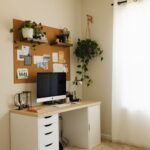

Creating a comfortable and productive home office space is essential for anyone working remotely or managing tasks from home. A well-designed workspace can improve focus, reduce stress, and enhance your overall work experience. Whether you have a dedicated room or just a small corner, these tips will help you set up an environment that supports your best work.
Choose the Right Location
Find a Quiet, Low-Traffic Area
Selecting a spot in your home where you can work without frequent distractions is key. If possible, choose a quiet room or corner away from noisy appliances and busy family areas. This helps maintain concentration and allows for video calls without interruptions.
Consider Natural Light
Natural light can boost mood and energy levels. Try to position your desk near a window to take advantage of daylight. However, be mindful of glare on your computer screen, which you can reduce with adjustable blinds or curtains.
Invest in Comfortable Furniture
Ergonomic Chair
An ergonomic chair supports your posture, reducing back and neck strain during long work hours. Look for chairs with adjustable height, lumbar support, and cushioned seating.
Functional Desk
Your desk should be spacious enough for your computer, paperwork, and any other essentials. A desk with adjustable height or the option to switch between sitting and standing can promote movement and comfort.
Organize Your Workspace Efficiently
Declutter Regularly
A tidy workspace helps clear your mind and improves focus. Keep only the items you need daily on your desk and store other supplies in drawers or shelves.
Use Storage Solutions
Utilize organizers such as trays, shelves, or filing cabinets to keep paperwork and office tools orderly. Labeling storage containers can save time when looking for specific items.
Optimize Lighting
Combine Natural and Artificial Lighting
In addition to natural light, use adjustable desk lamps or overhead lighting to prevent eye strain. Soft, warm lighting is ideal for long work sessions and creates a cozy atmosphere.
Position Lighting Correctly
Avoid placing lights directly behind or in front of your screen to prevent glare and shadows. Side lighting often works best to illuminate your workspace evenly.
Minimize Distractions
Create Boundaries
If you share your living space, communicate your work hours and request that others respect your quiet time. Use noise-canceling headphones or white noise apps if needed.
Manage Digital Interruptions
Turn off unnecessary notifications on your phone or computer to stay focused. Designate specific times to check emails and messages to avoid constant distractions.
Personalize Your Space
Add Inspirational Elements
Decorate with items that motivate or relax you, such as plants, artwork, or photos. Greenery can improve air quality and add life to your workspace.
Keep Comfort Items Handy
Having a water bottle, healthy snacks, or a cozy blanket nearby helps maintain comfort without frequent breaks.
Incorporate Technology Wisely
Invest in Reliable Equipment
A fast computer, quality headset, and stable internet connection are crucial for smooth workdays. Test your equipment regularly to avoid technical issues.
Use Productivity Tools
Apps for task management, time tracking, and note-taking can keep you organized and on schedule.
Maintain a Healthy Routine
Take Regular Breaks
Stand up, stretch, or walk around every hour to prevent stiffness and fatigue. Short breaks boost energy and focus.
Set Clear Work Hours
Establish consistent starting and ending times to balance work and personal life effectively.
Final Thoughts
Creating a home office that balances comfort and productivity doesn’t require a large budget or space. Thoughtful choices in location, furniture, organization, and atmosphere can transform your workspace into a place where you enjoy spending time and get things done efficiently. By tailoring your environment to your needs, you can enhance your work experience and maintain a healthy work-life balance.